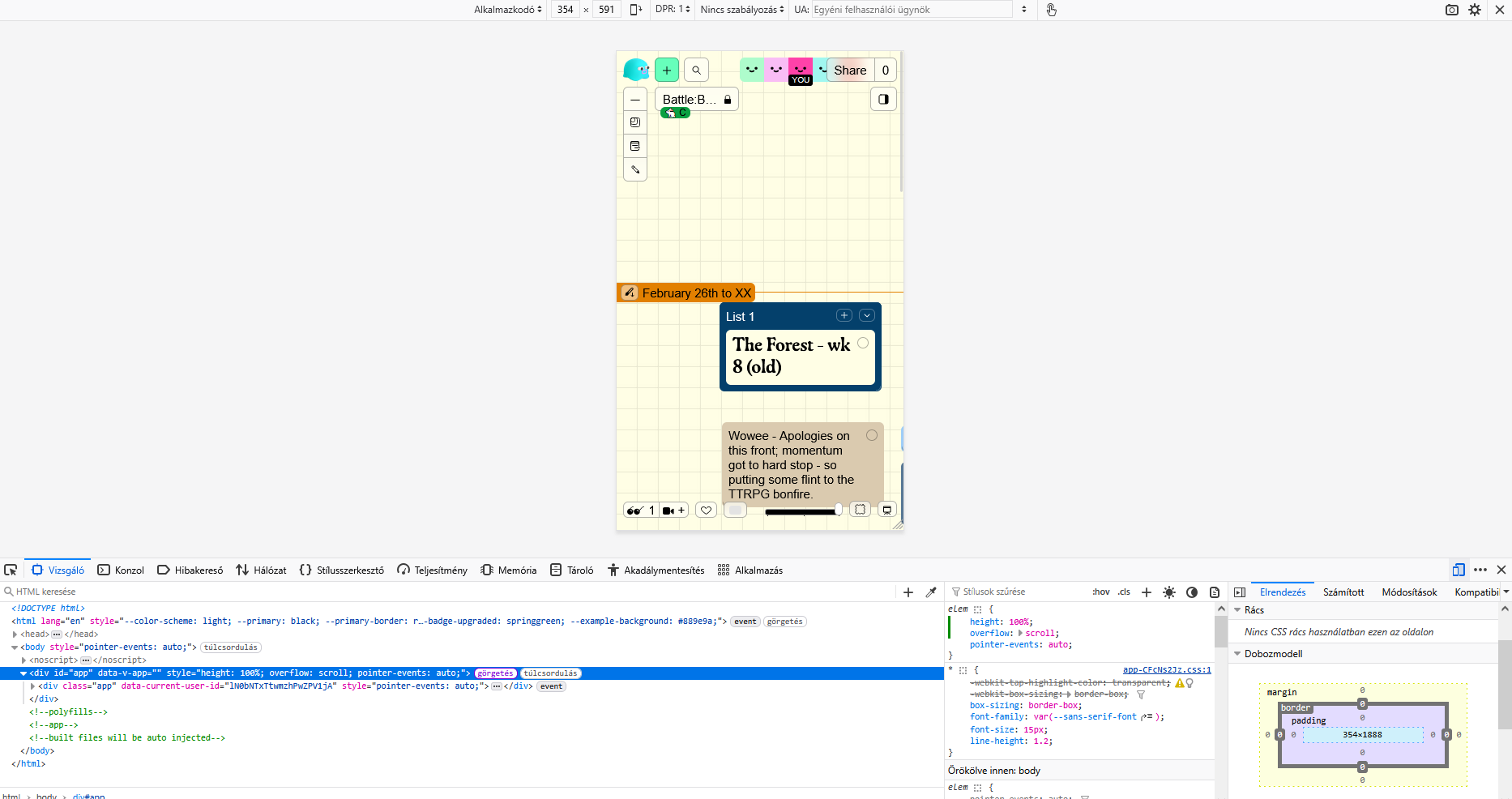
this has been an issue for a while, especially in the android app and mobile web. the bottom items of the menu (favourite, discover, live spaces, minimap, present) are only visible when the bottom edge of the space is visible. annoying now especially that many important stuff moved to the bottom of the screen
i assume this is a problem with how the menu system is set up, as its quite obvious when moving around that the menu itself lags behind the viewport. i assume some html/css settings could fix this.
this is probably unprofessional but as far as I know html the issue arises from the main app div having everything in it, including the menu. this way the height of the whole app is the height of the cards in the space, moving the navbar to the very bottom of this div instead of sticking it at the bottom of the screen.
setting the height of the app div makes it so that the bottom navigation menu is always visible. however i cannot scroll to the right like this and i dont know how to fix that. i also think this is related to this bug of the paint select and card creating not working outside of the top-left viewport-sized area on mobile.
idk why pointer events is there and this was more of just an experiment, i know it breaks scrollbars it broke horizontal scroll on mobile too. the cause of the issue is whats most important here, its the fact that the whole app is in a div and the bottom items are at the bottom of the div, not the bottom of the screen