I just tried to write some cards in Japanese using macOS’s IME, and Kinopio was intercepting the enter/return inputs in odd ways. Once I had finished writing a word and wanted to accept the provided kanji, I would hit enter to do so, and Kinopio would act like I was hitting enter to add a new card below the one I was current editing. If this was the first word of the card, the card I was editing would disappear, and it would put the completed word into the new one below. Or sometimes it might have ended up with an empty card below the one I was originally trying to edit? If I was adding a second word, it might put that word into the card I was editing and a new card below that one. The only real way to reliably write Japanese is to constantly flip the IME between Japanese and English modes in order to not have the enter/return input be seen by Kinopio.
in js text editing i believe this is called a ‘composition event’. in the card textarea, the code should ignore the enter key if it happens within 1s of a composition event. I’ve added browser console logging so when you press enter you should see a ‘ enter’ line. could you show me what that returns?
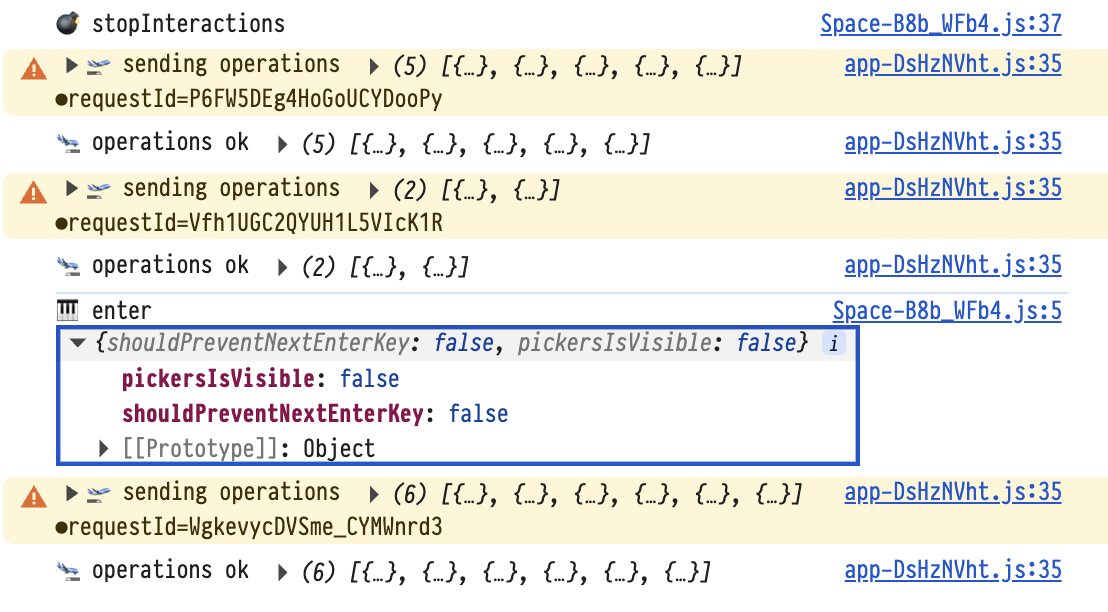
I deleted the console logs, then clicked to open a card, turned on IME mode, typed a word, and pressed enter. This is all the logs from that sequence of events with the “enter” object expanded.
Will investigate soon. Sorry I’ve been swamped with a big release
Very understandable, good luck on what you’re working on!
arg it looks like you might’ve been on an older version of the client when you screenshotted those logs. The ‘ enter’ message object should have a third isCompositionEvent boolean result as well. Could you send me a new screenshot the next time you have this issue?
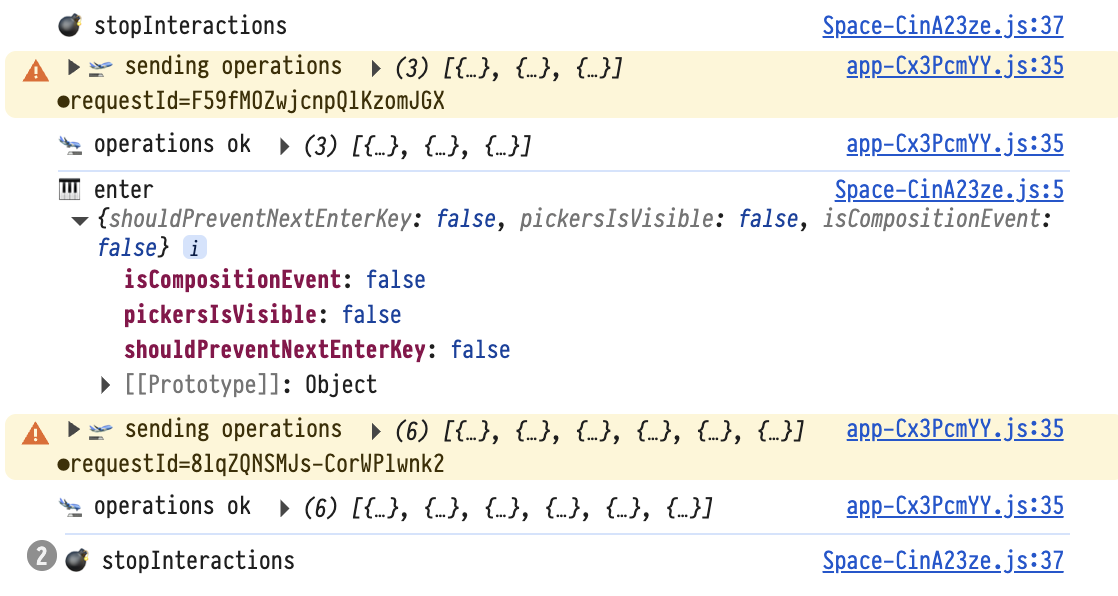
hmm ya we’d normally expect to have isCompositionEvent be true in this case. do you know how long the time typically is between typing the kanji and pressing enter? right now it expects the enter to happen in less than 1 second. if you try pressing enter to confirm the character really fast after typing it just to test it does it work as expected?
if so , then I can expand the time window beyond 1s
No matter how fast I type/press enter once I start editing a card with IME input on, it behaves erroneously. I will say that sometimes it can take a bit to press enter to select an IME suggestion because I might need to scroll the list of options to get exactly what I want.
I think I see the basic problem: The compositionend event is occurring after the keydown event with the enter key, at least on Chromium-based browsers. Trying this on Firefox, I see the compositionend event firing and updating the internal time, and then enter doesn’t do anything for a second like you mentioned.
You might need to change to something like ignoring input events until the compositionend event comes through. I also found this website that details some gotchas between different browsers in how they do composition events: https://www.stum.de/2016/06/24/handling-ime-events-in-javascript/ (though it’s from 2016, so there’s always a possibility something changed)
released another fix for this . let me know if it works for you
Working great! No issues with typing stuff with an IME now.